A little closer,
before hello.
Your favorite song. A story from Dad. A little love from everyone. Make room for meaningful moments with Pixie Tunes.
Made for your bump. Designed for your everyday.
Small speakers.
Meaningful moments.
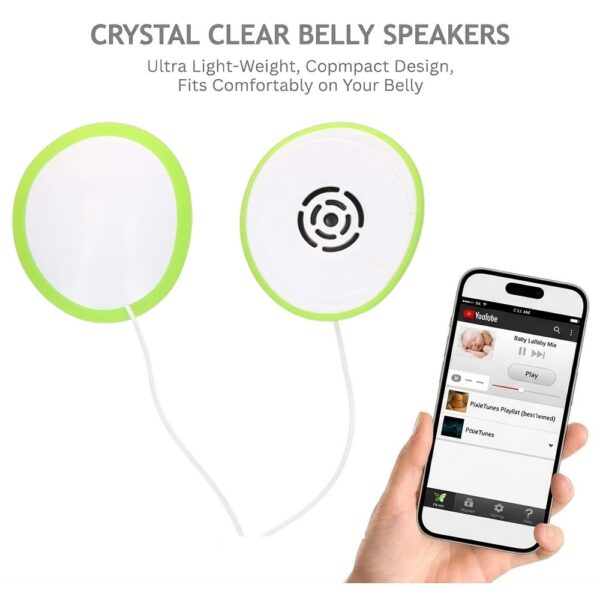
Premium in White
$29.99Our dual pregnancy speaker system, in classic white.
Explore Premium →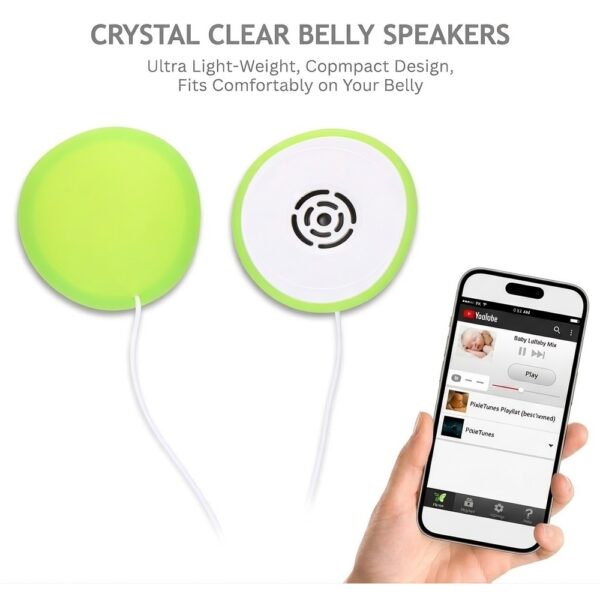
Premium in Green
$29.99The same everyday connection, with a playful pop of green.
Explore Premium →
Meet Pixie Tunes Elite
$15.99A baby bump adapter for compatible earbuds you already own.
Explore Elite →Press play.
Make it personal.
Set aside a moment for the music and voices that mean the most to you. Pixie Tunes Premium makes getting started simple.
Read the setup guide →Connect your device
Plug Premium into a compatible 3.5 mm audio output. Phones without a headphone jack need a suitable adapter.
Get comfortable
Attach the speakers using the included adhesive patches, following the setup and care instructions.
Choose something you love
Play a favorite song, a lullaby, or a recorded message. Follow the product instructions for volume and use.
Made for the moments
that are already yours.
A quiet afternoon. Your favorite chair. One song you always come back to. There is no perfect playlist—just the sounds you love.
Use music and recordings from your compatible audio device. No special Pixie Tunes app required.
The hands-free design uses reusable adhesive patches, without a belt or a special outfit.
Make a collection of recorded stories, songs, and messages from the people who cannot wait to say hello.
“Pixie Tunes are portable, discreet and I am excited to use them. A great investment.”Jennifer · Customer review
“I am now talking to my baby every day! Thanks for these baby bump headphones.”Tina · Customer review
What is the difference between Premium and Elite?
Premium is a dual pregnancy speaker system. Elite is an adapter designed to hold compatible earbuds you already own. Check each product page to choose the right option for your setup.
Will Premium work with my phone?
Premium connects to a 3.5 mm audio output. If your phone uses USB-C or Lightning instead, you will need a compatible audio adapter. Check your device connection and adapter compatibility before ordering.
Do I need to download an app?
No special Pixie Tunes app is required. Play music or recordings using your compatible device and your preferred audio app.
Can family members record messages?
Yes. Save voice recordings on your compatible audio device, then play them through Pixie Tunes. Songs, stories, and spoken messages can all be part of your personal collection.
Can I buy replacement adhesive patches?
Yes. Replacement adhesive patches and other accessories are available in our store. Follow the care instructions and replace patches when they no longer hold securely.
Where can I find instructions for use?
Visit FAQ & Support for setup, volume settings, adhesive care, and cleaning instructions. Read the instructions supplied with your product before use.
Make a little time for you two.
Find your Pixie Tunes and start a collection of songs, stories, and moments to call your own.
Find your Pixie Tunes